---
title: "iClear: Device Fingerprint Score Retriever"
description: "The iClear: Device Fingerprint Score Retriever third-party service allows you to identify and analyze unique device characteristics to help detect fraud, verify trusted users, and improve lead validation by matching device data with the submitted lead details."
---
[Skip to content](https://support.phonexa.com/iclear-device-fingerprint-score-retriever#main-content)
[](https://support.phonexa.com/?hsLang=en)
Open main navigation
Close main navigation
- [➜\]](https://phonexa.com/)
[➜\]](https://phonexa.com/?hsLang=en)
Phonexa Support Center
- There are no suggestions because the search field is empty.
1. [Knowledge Base](https://support.phonexa.com/?hsLang=en)
2. [LMS Sync & Call Logic](https://support.phonexa.com/lms-sync-call-logic?hsLang=en)
3. [iClear](https://support.phonexa.com/lms-sync-call-logic?hsLang=en#iclear)
# iClear: Device Fingerprint Score Retriever
## The iClear: Device Fingerprint Score Retriever third-party service allows you to identify and analyze unique device characteristics to help detect fraud, verify trusted users, and improve lead validation by matching device data with the submitted lead details.
The service collects and analyzes a wide range of non-personal device attributes through a lightweight JavaScript snippet added to your chosen pages (e.g., lead generation forms). These attributes may include browser type, operating system, time zone, installed plugins, screen resolution, and other unique markers that form a digital signature. The resulting fingerprint can be compared against historical data and known patterns of abuse to identify trusted devices, suspicious activity, or fraud attempts.
**Why It Matters**
Fraudsters often hide behind fake accounts, stolen identities, or automated scripts, but their devices can reveal a lot. Device Fingerprint Score Retriever empowers businesses to:
- Detect and block high-risk traffic before it can cause harm.
- Protect accounts from unauthorized access and takeovers.
- Improve lead validation accuracy by confirming device consistency with submitted details.
For example, a company with affiliate programs denies payout after detecting that multiple “new” leads all came from the same emulated device.
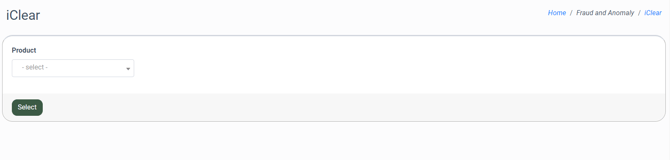
To enable this service, go to the **Fraud and Anomaly \> iClear \> Lead Processing Rules** section and select a Product from the drop-down list.
[](https://support.phonexa.com/hubfs/iClear%20Device%20Fingerprint%201.png?hsLang=en)
Once you select the Product, you’ll be automatically redirected to the **Lead Processing Rules (iClear)** sub-tab. You may also navigate here by selecting the **System Management \> Products** section on the left-hand menu and clicking on the **“Settings”** button for the corresponding product **(Lead Processing Rules (iClear) sub-tab)**.
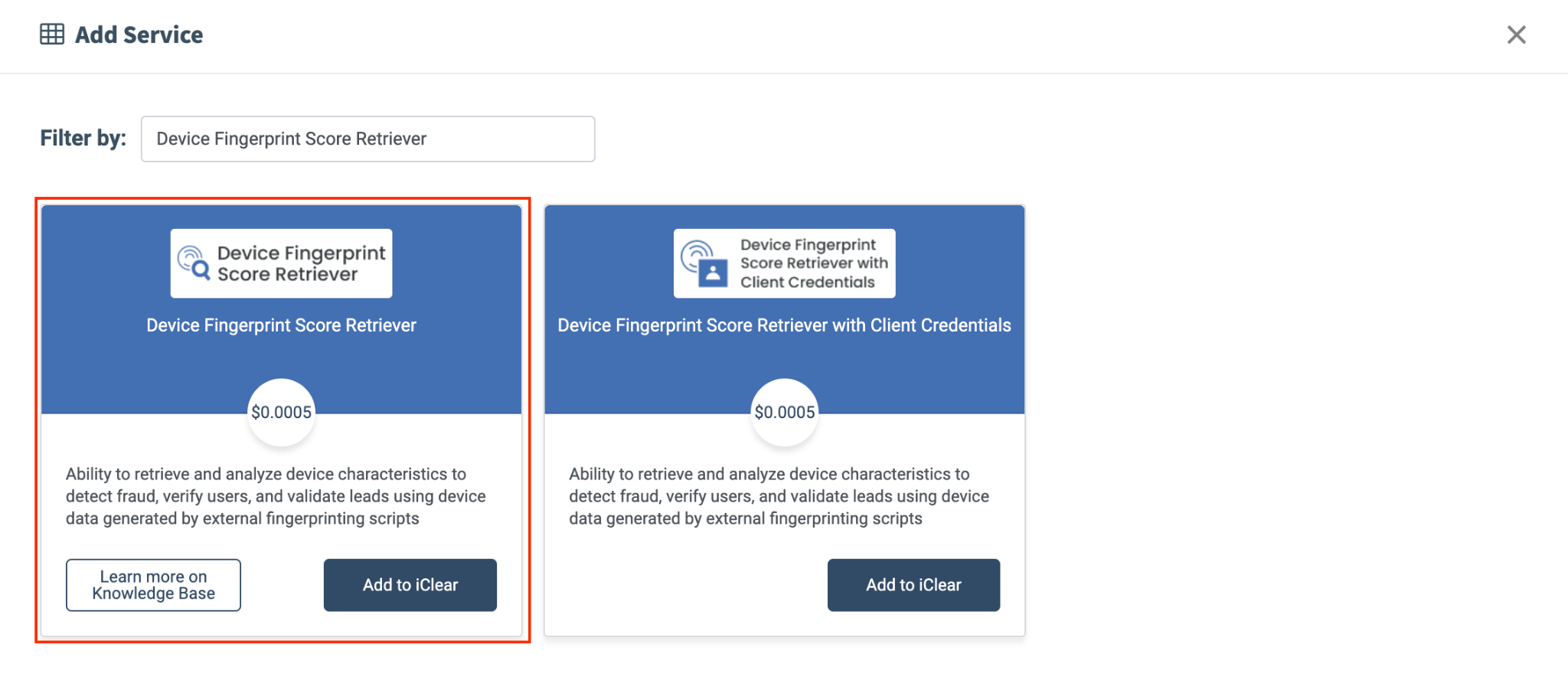
To configure this service, click the **“Add Service”** button in the Global Rules block. Select the **“Device Fingerprint Score Retriever”** option and click the **“Add to iClear”** button in the following pop-up window.
[](https://support.phonexa.com/hubfs/undefined-Sep-28-2026-12-12-36-6914-PM.png?hsLang=en)
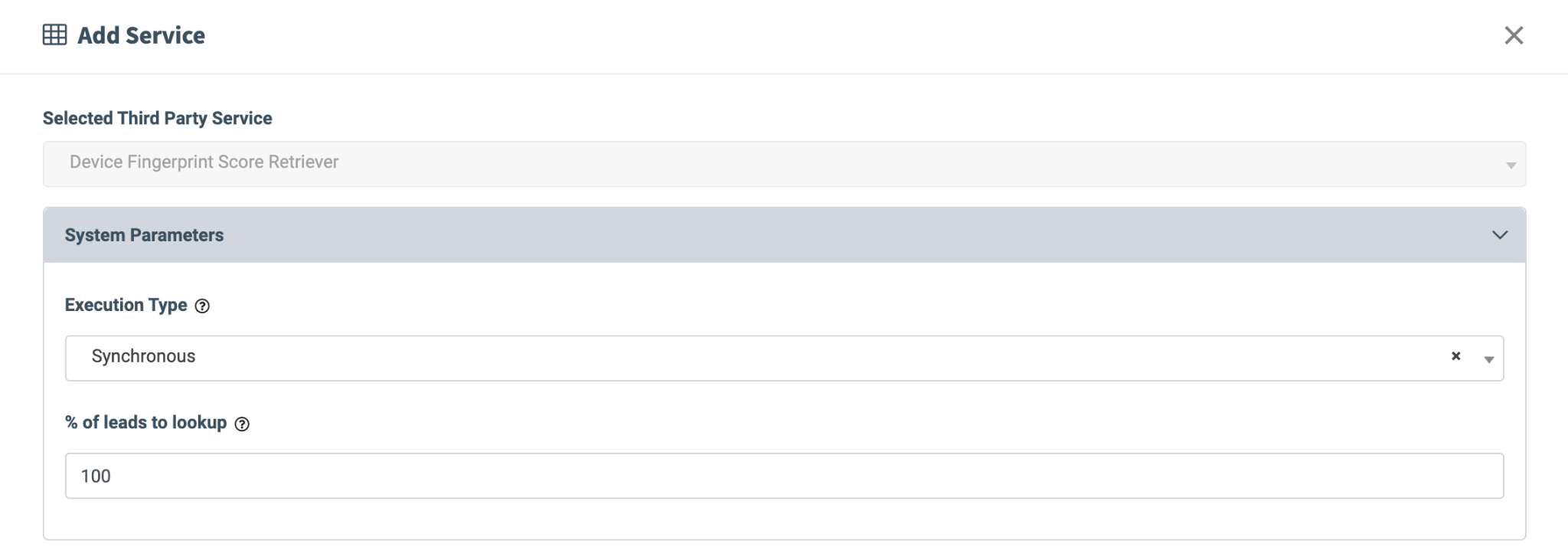
Fill in the following fields in the **“Add Service”** pop-up window:
- **Selected Third Party Service:** The **“Device Fingerprint Score Retriever”** option is displayed.
- **Execution type:**
- Select the **"Asynchronous"** option to make a simultaneous request and process a lead without waiting for the lookup outcome. This execution type is recommended for analytical purposes and not for real-time filtration of a lead based on the lookup status. While processing a lead, the system makes a request to the selected service.
- Select the **"Synchronous"** option to wait for the service lookup outcome before processing a lead. This execution type is recommended for real-time filtration of a lead based on the lookup status. Before processing a lead, the system requests the selected service. If the lead match is not found, the system will process the lead as usual. If the lead matches the criteria, the system will process the lead according to the lookup status.
- Select the **“On-Demand”** option to enable lead filtering when the “% of lead to lookup” is set to 0 (null).
- **% of leads to lookup**: Set the percentage of leads to be checked through this service.
[](https://support.phonexa.com/hubfs/undefined-Sep-28-2026-12-12-37-7011-PM.png?hsLang=en)
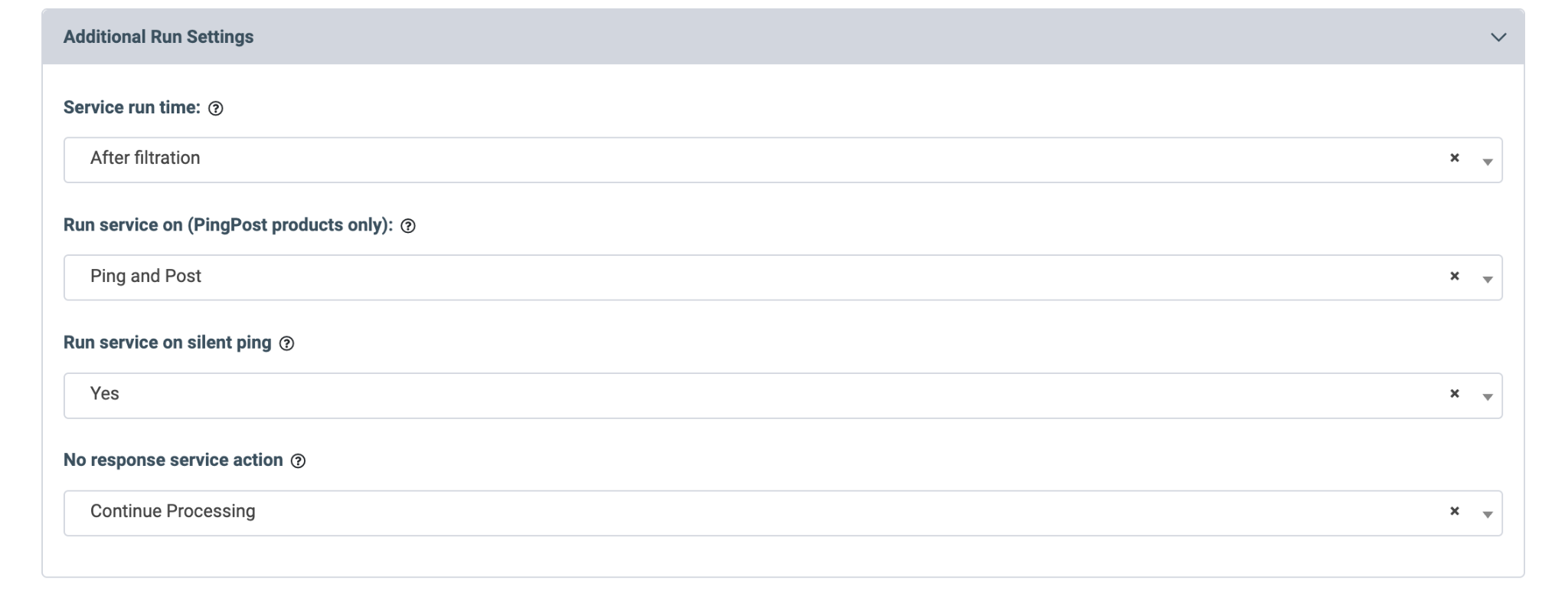
The **“Additional Run Settings”** configuration block allows you to configure more options to determine at which stage you would prefer to run the service.
- **Service run time:** Select whether you would prefer to run the service before or after the leads are filtered out (*After filtration, Before filtration*).
*Note: Please be aware that selecting this option may impact your invoice. Once this option is selected and no campaigns remain for the service to run, there will be no charges incurred.*
- **Run service on (PingPost products only):** Select one of the options to determine at which stage you would prefer to run the service for the Ping Post products (*Ping, Post, Ping and Post*).
- **Run service on silent ping:** Select **“Yes”** if you would like to run the service during the silent ping stage. Select **“No”** to exclude this option.
- **No Response Service Action:** Select the action in case of no response from the third-party service (*Continue Processing, Reject the Lead*).
[](https://support.phonexa.com/hubfs/undefined-Sep-28-2026-12-12-36-3034-PM.png?hsLang=en)
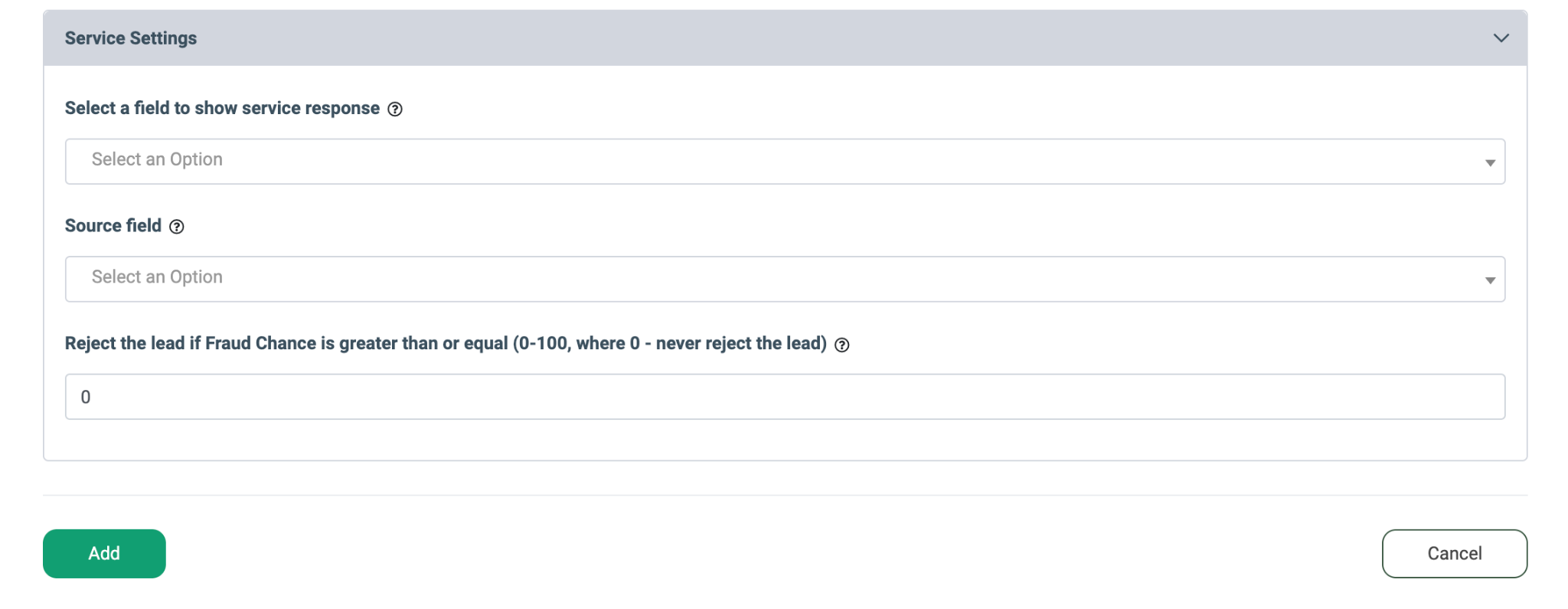
- **Select a field to show service response:** Select the field where the response obtained from the service will be displayed.
- **Source field:** Select the field via which the fingerprint data will be sent to the service. *Note that the device\_fingerprint field should be entered in the ongoing field as a value.*
- **Reject the lead if Fraud Chance is greater than or equal (0-100, where 0 - never reject the lead):** Enter the minimum score for the fraud chance value at which users should be rejected as leads. If the fraud chance value is equal to or higher than the threshold set in the ongoing field, the lead will be rejected.
Click the **“Add”** button to add the rule.
[](https://support.phonexa.com/hubfs/undefined-Sep-28-2026-12-12-35-8757-PM.png?hsLang=en)
Once the service is configured, the corresponding script and detailed usage instructions will appear in the following pop-up window. For this service to work, you need to copy and paste the provided JavaScript code onto the pages where you want fingerprinting to run (e.g., lead generation forms).
*Note: There is a default cost per page impression once the script runs (charges start once it is implemented on the page, regardless of whether an API call is made). For the service itself, the price is per ping (charges apply only when processing occurs within iClear).*
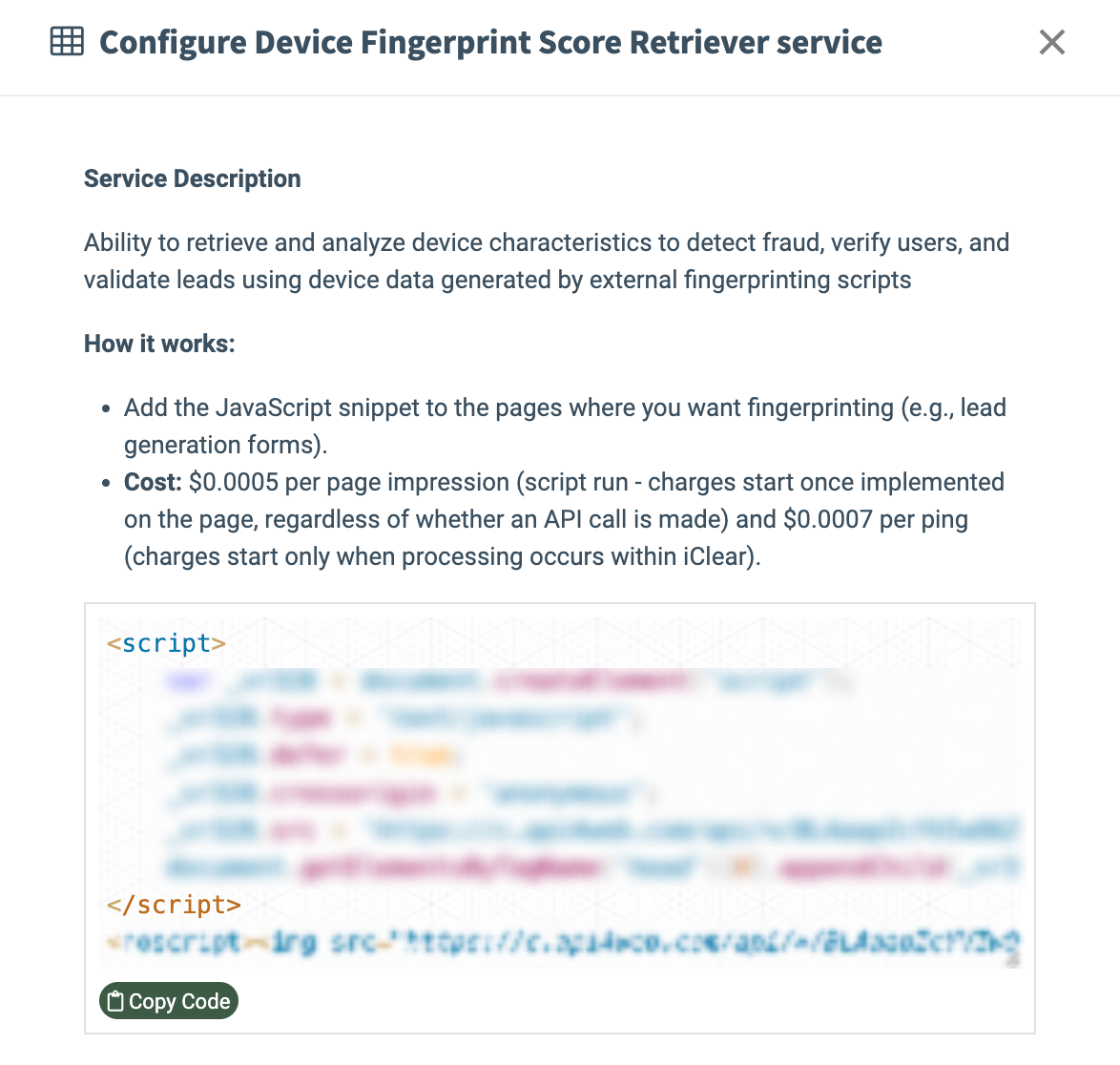
[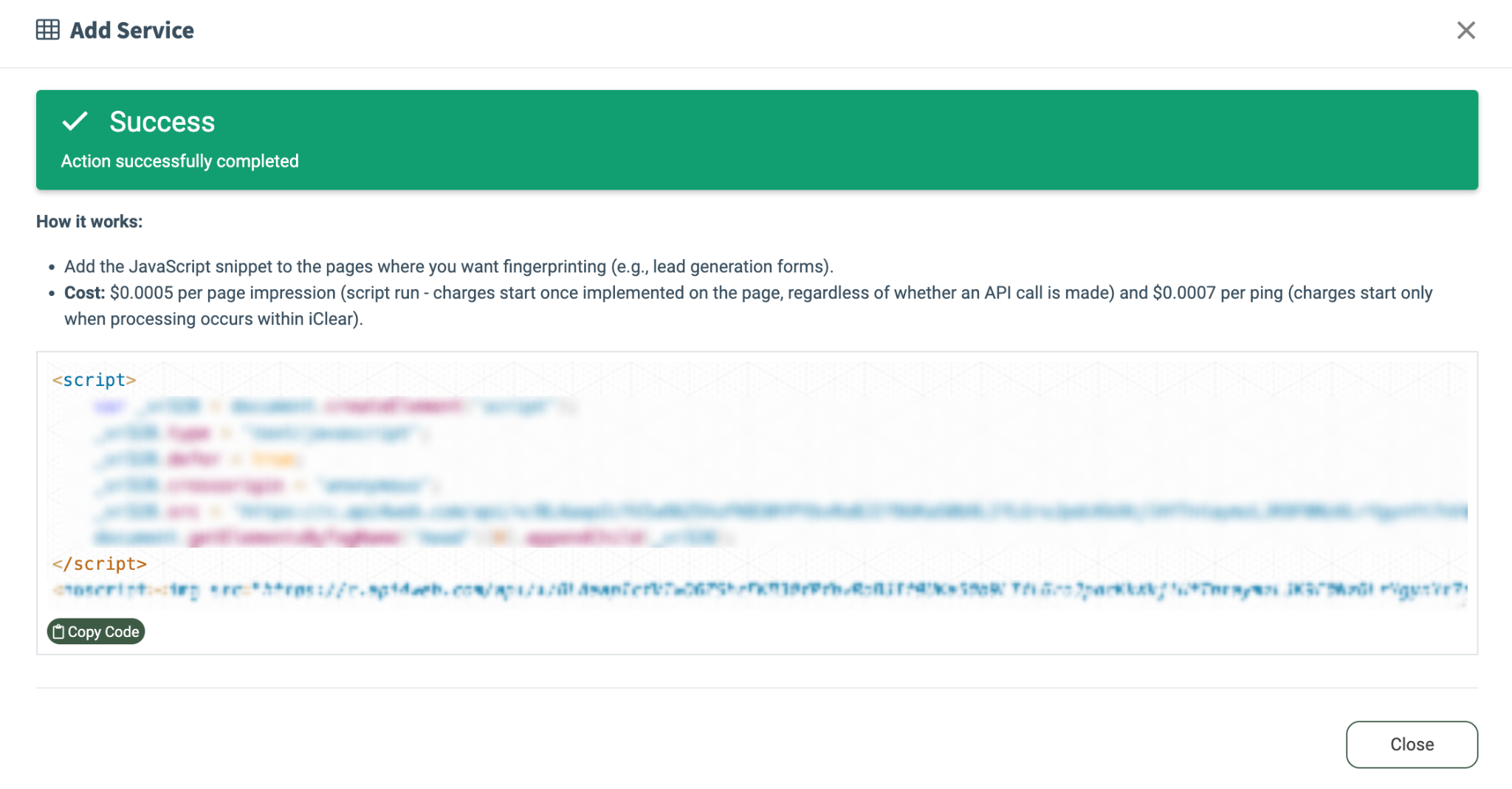](https://support.phonexa.com/hubfs/undefined-Sep-28-2026-12-12-38-1137-PM.png?hsLang=en)To copy the script code, click the **“Copy Code”** button. Also, these instructions can be viewed by clicking the **“Configure”** button in the **“Actions”** column.
[](https://support.phonexa.com/hubfs/undefined-Sep-28-2026-12-12-37-1563-PM.png?hsLang=en)
*Read more about the Global Rules and Advanced Rules configuration in this Knowledge Base* [*article*](https://support.phonexa.com/fraud-detector-iclear?hsLang=en)*.*
- [General information](https://support.phonexa.com/general-information?hsLang=en#main-content)
- [Account Settings](https://support.phonexa.com/general-information?hsLang=en#account-settings)
- [Security Settings](https://support.phonexa.com/general-information?hsLang=en#security-settings)
- [Users](https://support.phonexa.com/general-information?hsLang=en#users)
- [System Customization](https://support.phonexa.com/general-information?hsLang=en#system-customization)
- [Project Customization](https://support.phonexa.com/general-information?hsLang=en#project-customization)
- [Product Customization](https://support.phonexa.com/general-information?hsLang=en#product-customization)
- [System Management](https://support.phonexa.com/general-information?hsLang=en#system-management)
- [Support](https://support.phonexa.com/general-information?hsLang=en#support)
- [LMS Sync & Call Logic](https://support.phonexa.com/lms-sync-call-logic?hsLang=en#main-content)
- [Extra Features](https://support.phonexa.com/lms-sync-call-logic?hsLang=en#extra-features)
- [Publisher Configuration](https://support.phonexa.com/lms-sync-call-logic?hsLang=en#publisher-configuration)
- [Client Management](https://support.phonexa.com/lms-sync-call-logic?hsLang=en#client-management)
- [System Logs](https://support.phonexa.com/lms-sync-call-logic?hsLang=en#system-logs)
- [Documents And References](https://support.phonexa.com/lms-sync-call-logic?hsLang=en#documents-and-references)
- [Reports and Analytics](https://support.phonexa.com/lms-sync-call-logic?hsLang=en#reports-and-analytics)
- [Publisher management](https://support.phonexa.com/lms-sync-call-logic?hsLang=en#publisher-management)
- [Call Logic Customization](https://support.phonexa.com/lms-sync-call-logic?hsLang=en#call-logic-customization)
- [Campaign Configuration](https://support.phonexa.com/lms-sync-call-logic?hsLang=en#campaign-configuration)
- [Feed CMS](https://support.phonexa.com/lms-sync-call-logic?hsLang=en#feed-cms)
- [Event Tracking](https://support.phonexa.com/lms-sync-call-logic?hsLang=en#event-tracking)
- [iClear](https://support.phonexa.com/lms-sync-call-logic?hsLang=en#iclear)
- [E-Delivery](https://support.phonexa.com/e-delivery?hsLang=en#main-content)
- [List Management](https://support.phonexa.com/e-delivery?hsLang=en#list-management)
- [Email Campaigns](https://support.phonexa.com/e-delivery?hsLang=en#email-campaigns)
- [SMS Campaigns](https://support.phonexa.com/e-delivery?hsLang=en#sms-campaigns)
- [Reports](https://support.phonexa.com/e-delivery?hsLang=en#reports)
- [Suppression Management](https://support.phonexa.com/e-delivery?hsLang=en#suppression-management)
- [Books360](https://support.phonexa.com/books360?hsLang=en#main-content)
- [Books 360 Integration](https://support.phonexa.com/books360?hsLang=en#books-360-integration)
- [Vendor Management](https://support.phonexa.com/books360?hsLang=en#vendor-management)
- [Account](https://support.phonexa.com/books360?hsLang=en#account)
- [Customer Management](https://support.phonexa.com/books360?hsLang=en#customer-management)
- [Opt-Intel](https://support.phonexa.com/opt-intel?hsLang=en#main-content)
- [List Management](https://support.phonexa.com/opt-intel?hsLang=en#list-management)
- [All Reports](https://support.phonexa.com/opt-intel?hsLang=en#all-reports)
- [Mailers](https://support.phonexa.com/opt-intel?hsLang=en#mailers)
- [Campaigns](https://support.phonexa.com/opt-intel?hsLang=en#campaigns)
- [System Management](https://support.phonexa.com/opt-intel?hsLang=en#system-management)
- [HitMetrix](https://support.phonexa.com/hitmetrix?hsLang=en#main-content)
- [Analytics](https://support.phonexa.com/hitmetrix?hsLang=en#analytics)
- [Heatmaps](https://support.phonexa.com/hitmetrix?hsLang=en#heatmaps)
- [System Management](https://support.phonexa.com/hitmetrix?hsLang=en#system-management)
- [Lynx](https://support.phonexa.com/lynx?hsLang=en#main-content)
- [Offers](https://support.phonexa.com/lynx?hsLang=en#offers)
- [LYNX Reports](https://support.phonexa.com/lynx?hsLang=en#lynx-reports)
- [Advertisers](https://support.phonexa.com/lynx?hsLang=en#advertisers)
- [Affiliates](https://support.phonexa.com/lynx?hsLang=en#affiliates)
- [Account Settings](https://support.phonexa.com/lynx?hsLang=en#account-settings)
- [Cloud PBX](https://support.phonexa.com/cloud-pbx?hsLang=en)
[](https://phonexa.com/?hsLang=en)
Phonexa Knowledge Base
Copyright © 2026, Phonexa