
To view the information, go to the Heatmaps > Geo section.
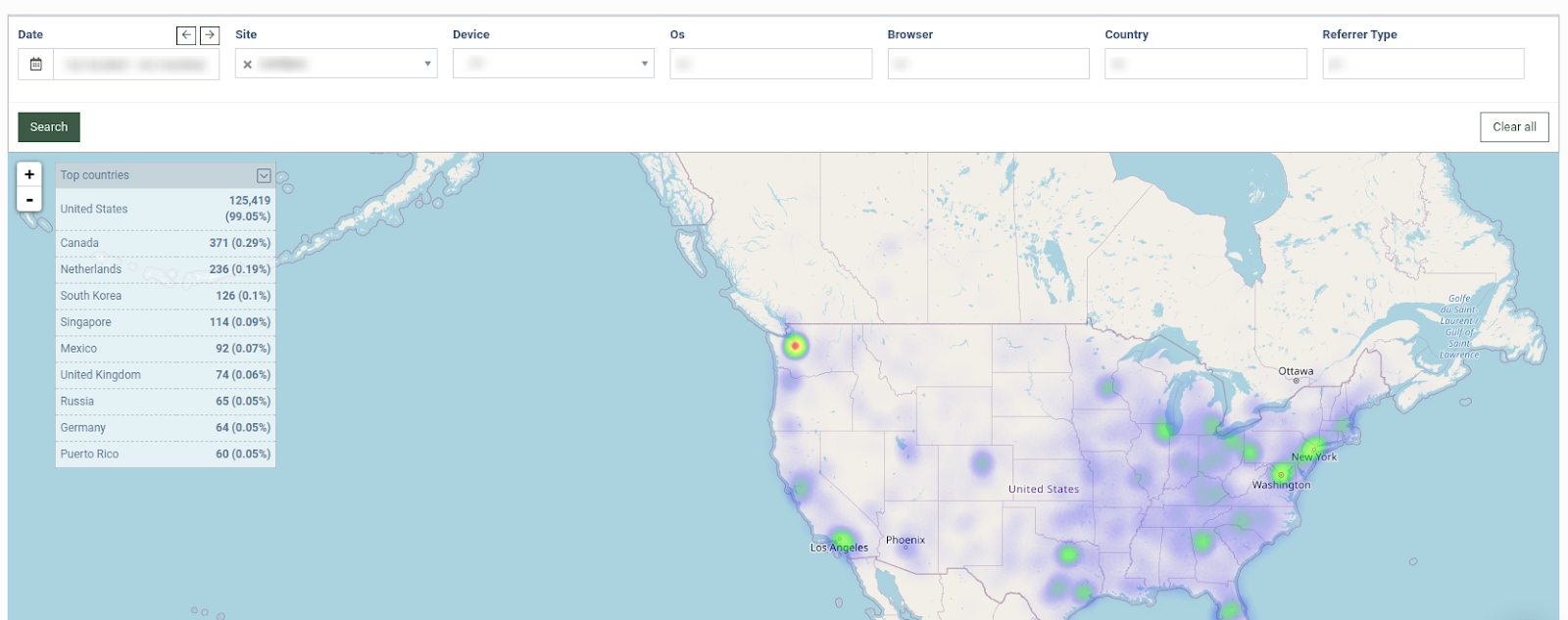
Once the site is selected from the drop-down list, the map will display the following information:
-
The country name: This displays country where the website traffic is coming from.
-
Number: This displays the number of users from a specific country.
-
Percentage: This displays the percentage of the users from a specific country.
You can narrow down the search results by using the following filters:
-
Date: Select the date range.
-
Site: Select the website.
-
Device: Select the device (Desktop, Phone, Tablet).
-
Os: Select the Operating System (Android, Chrome OS, Firefox OS, IOS, Linux, Mac, Other Mobile, Windows).
-
Browser: Select the browser (Android Browser, Chrome, Firefox, Internet Explorer, Opera, Safari).
-
Country: Select the country.
-
Referrer Type: Select the referrer type (Direct Traffic, Email, Search, Social, Website).