
To add a new user in the system go to the System Users > User Management > Employees section, click the “Create New User” button and fill in the “Create User” form fields:
-
Email
-
Nick Name
-
Groups
-
Status
-
New password
-
Repeat password
-
First name
-
Last name
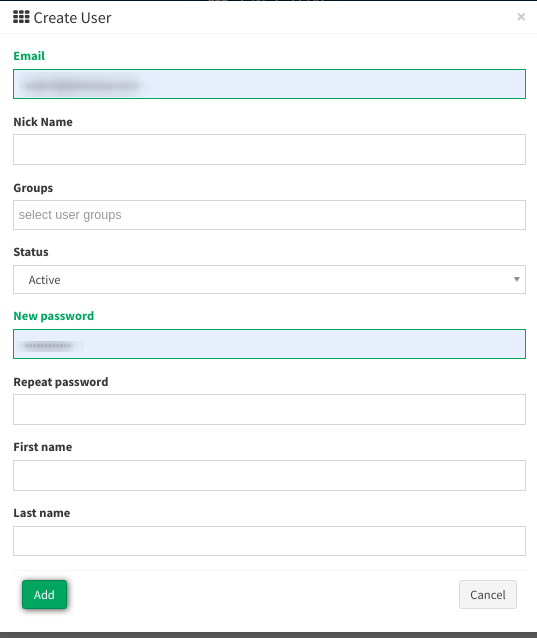
Then click the “Add” button to proceed.