The Postbacks Log section contains detailed information about postbacks processing within the system. It allows you to check the status of each postback, group, and filter results by specific Offer, related Goal, associated Affiliate, and the event that triggered the postback.
For each log record, you can also view the specific conversion ID and detailed information about the sent postback request, such as the full destination URL, request body content, HTTP response code, and raw JSON response data.
Read more about the Postbacks in the following Knowledge Base article.
The Postbacks Log report is available for Global Admin, Lynx Admin, and Affiliates system users. Affiliates will be able to view the postback logs only for Offers and Goals that are associated specifically with them.
To view the log, go to the All Reports > Postback Logs section.

You can narrow down the search results by using the following filters:
- Date: Select the date range for the report.
- Offer: Select the corresponding Offer.
- Goal: Select the specific Goal.
- Trigger: Select the related trigger event for the postback (Conversion Done, Conversion Reject, Conversion Pending, Offer Click).
- Affiliate: Select the specific Affiliate.
The report contains the following information.
- Date: The date and time of the log record creation (the postback occurred or was requested).
- Offer: The name of the Offer associated with the postback.
- Trigger: The specific event (trigger) that caused the postback to fire.
- Goal: The Goal to which the postback relates.
- Conversion ID: A unique identification number of the conversion event.
- Affiliate: The name of the Affiliate associated with the conversion.
- Host: The domain name (domain part) of the target URL to which the postback was sent.
- Action: The name of the action that determines the way to transfer the conversion data.
- Response Status: The status of the response obtained after the postback sending.
To view the detailed information about the postback log record, click the “Log” button in the “Actions” column.
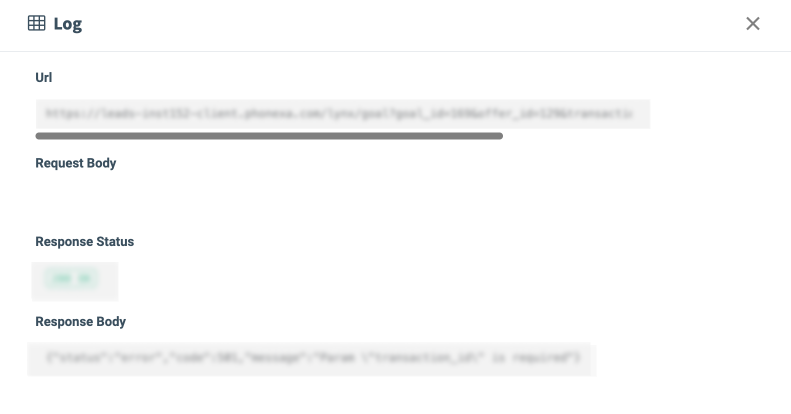
The detailed information about the postback log is displayed in the “Log” pop-up window:
- Url: The full destination URL to which the postback was sent.
- Request Body: The body content and additional parameters that were sent with the postback request.
- Response Status: The HTTP status code of the response returned after the postback was sent.
- Response Body: The raw JSON body content of the obtained response.