
A Publisher Agent is a contact person on the instance owner’s side who manages and supports a publisher account and coordinates communication and operations. The Publisher Agent can browse through the LMS and Call Logic components sections that are related to the Publisher activity. He can view the Publisher Reports data and manage the Publisher settings of the attached Publishers.
To view and edit publisher agent settings in the system, go to System Management > General > Project Settings section, then select the “LMS & Call Logic” tab and the “Publisher Agents settings” subtab.
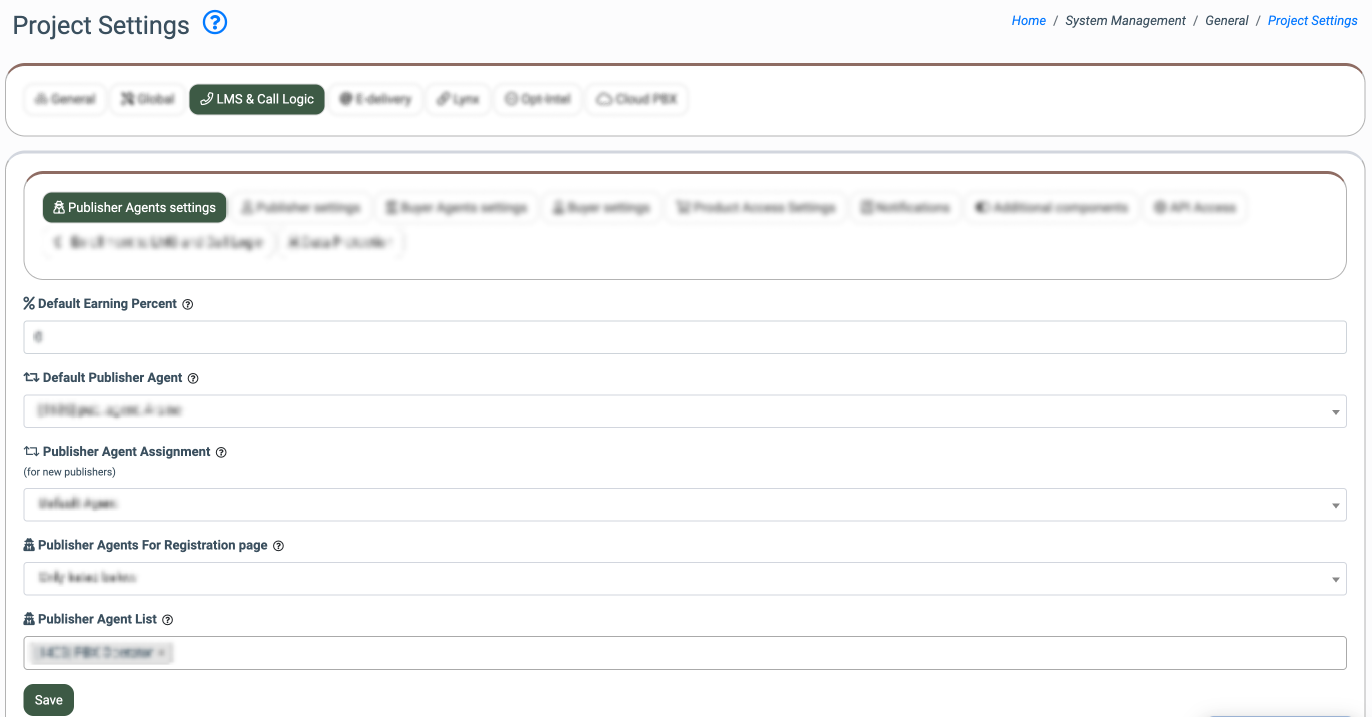
The following settings are available:
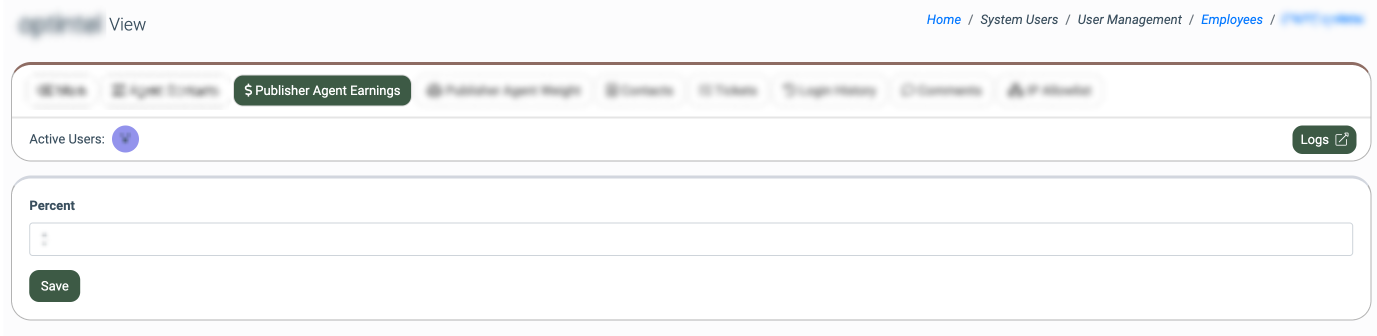
- % Default Earning Percent: Enter the default earning percentage for the Publisher Agent. This earning percentage will be applied for each Publisher Agent in the system, in case if the earning percentage ratio is not assigned for the Publisher Agent individually. To check the Publisher Agent's earning percent, go to the System Users > User Management > Employees section, select the corresponding agent from the list, click the “View” button, and select the “Publisher Agent Earnings” tab. Note: if the “0” value is set, the Publisher Agent will not earn their commission.
- Default Publisher Agent: Select the Publisher Agent that will be assigned to the Publisher in case the Publisher does not select an agent during registration. The “Default Agent” assignment strategy is selected in the “Publisher Agent Assignment”, or if the “Rotation With Weight Depending On Publisher's Language” assignment strategy is selected, but there is no agent with the selected language available. Note: It is recommended to assign the Publisher Agent for the Publisher to avoid inconsistencies and ensure the accountability and representativeness of the reporting system data.
- Publisher Agent Assignment: Select the approach for the Publisher Agent automatic assignment in case the Publisher does not select the Publisher Agent during registration. The following options are available:
- Default Agent: The default Publisher Agent is assigned automatically.
- Random: The Publisher Agent is assigned randomly.
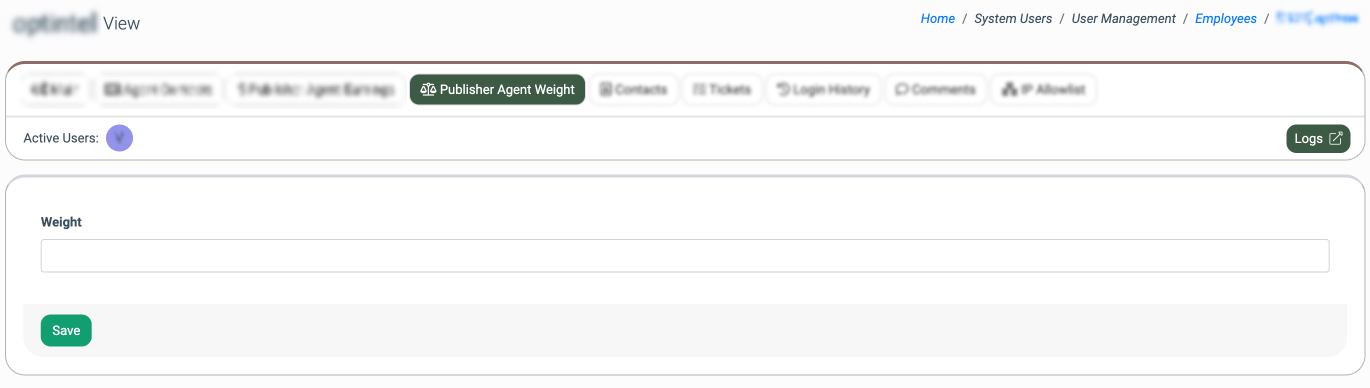
- Rotation With Weight: The Publisher Agent is assigned based on a weight value, which determines how often an agent is selected compared to others. A higher weight means a higher chance of being assigned. The allowed values range is from 0 to 10. To check the Publisher Agent's weight, go to the System Users > User Management > Employees section, select the corresponding agent from the list, click the “View” button, and select the “Publisher Agent Weight” tab. The example of the assignment workflow: We have three agents with the following weight values: Agent 1: Weight = 1, Agent 2: Weight = 4, Agent 3: Weight = 7. The system sums up all active weight values to create a total probability pool (1 + 4 + 7 = 12). When an assignment is triggered, the system generates a random number from 1 to 12. The assignment is distributed proportionally based on the generated number: 1: Assigned to Agent 1, 2 to 5: Assigned to Agent 2, 6 to 12: Assigned to Agent 3. Note: If the Publisher Agent's weight is set to 0 while other agents have weights greater than 0, that agent is skipped and excluded from the assignment process. If all available Publisher Agents have their weight set to 0, the system automatically treats all weights as 1, ensuring an equal, randomized distribution among all agents.
-
- Rotation With Weight Depending On Publisher's Language: The Publisher Agent is assigned based on a weight value and the language selected by the Publisher in the registration form, which determines how often an agent is selected compared to others. A higher weight means a higher chance of being assigned. The allowed values range from 0 to 10. The example of the assignment workflow: We have three agents with the following weight values and languages: Agent 1: Weight = 1, Language: English, Agent 2: Weight = 4, Language: Spanish, Agent 3: Weight = 7, Language: Spanish. A new Publisher Agent selects the Spanish language during the registration process. The system defines the language of the Publisher Agents and generates the pool with Agent 2 and Agent 3, and sums up all active weight values to create a total probability pool (4 + 7 = 11). The assignment is distributed proportionally based on the generated number: 1 to 4: Assigned to Agent 2, 5 to 11: Assigned to Agent 3. Note: If the Publisher Agent's weight is set to 0 while other agents have weights greater than 0, that agent is skipped and excluded from the assignment process. If all available Publisher Agents have their weight set to 0, the system automatically treats all weights as 1, ensuring an equal, randomized distribution among all agents.
- Publisher Agents For Registration page: Select the availability option for the Publisher Agent to be displayed for the selection on the registration page (All except of listed below or Only listed below).
- Publisher Agent List: Select Publisher Agent(s) to be displayed or hidden on the registration page, based on the option selected above.
Click the “Save” button to complete the settings.