
The Summary Lead Processing Time report allows you to analyze the average time spent on lead processing stages, including lead preparation, filtration, cap limitation checks, Buyer integration processing, and Campaign routing. It also provides the total counts for processed leads and pings.
The information in the report is separated according to the Product type (regular Product or ping-post Product) and displays the specific metrics accordingly.
To view the report, go to the Analytics and Optimization > Publisher Analytics > Publisher Post Time report, and select the “Summary Lead Processing Time” tab.
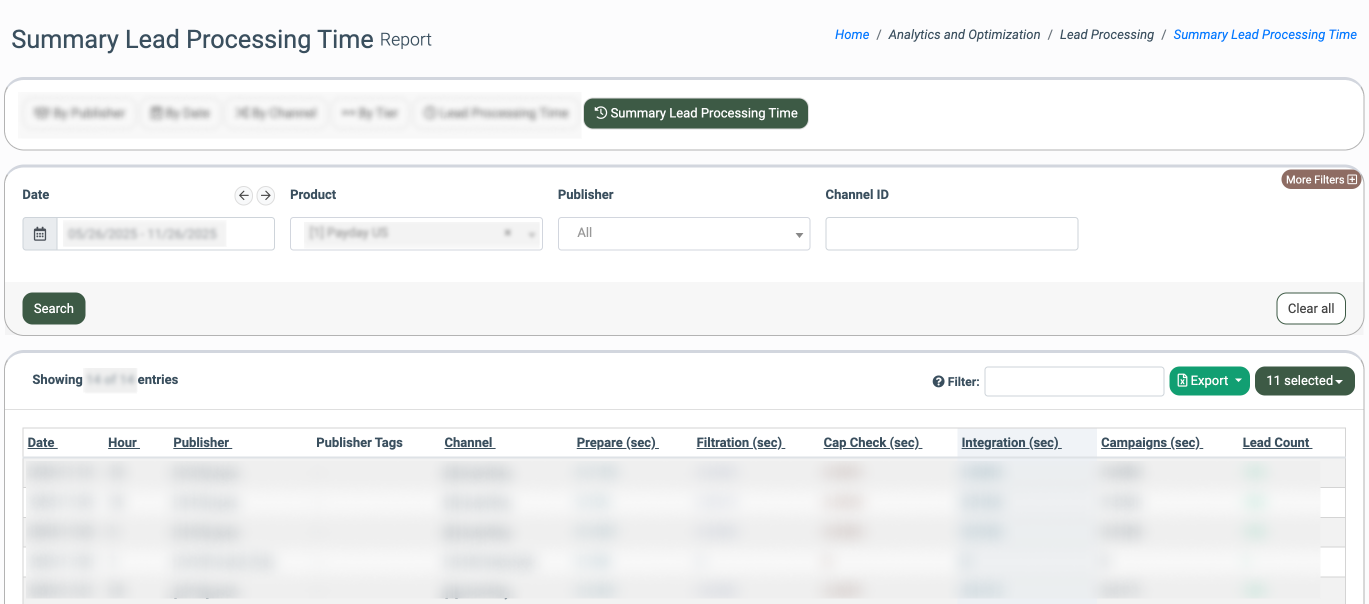
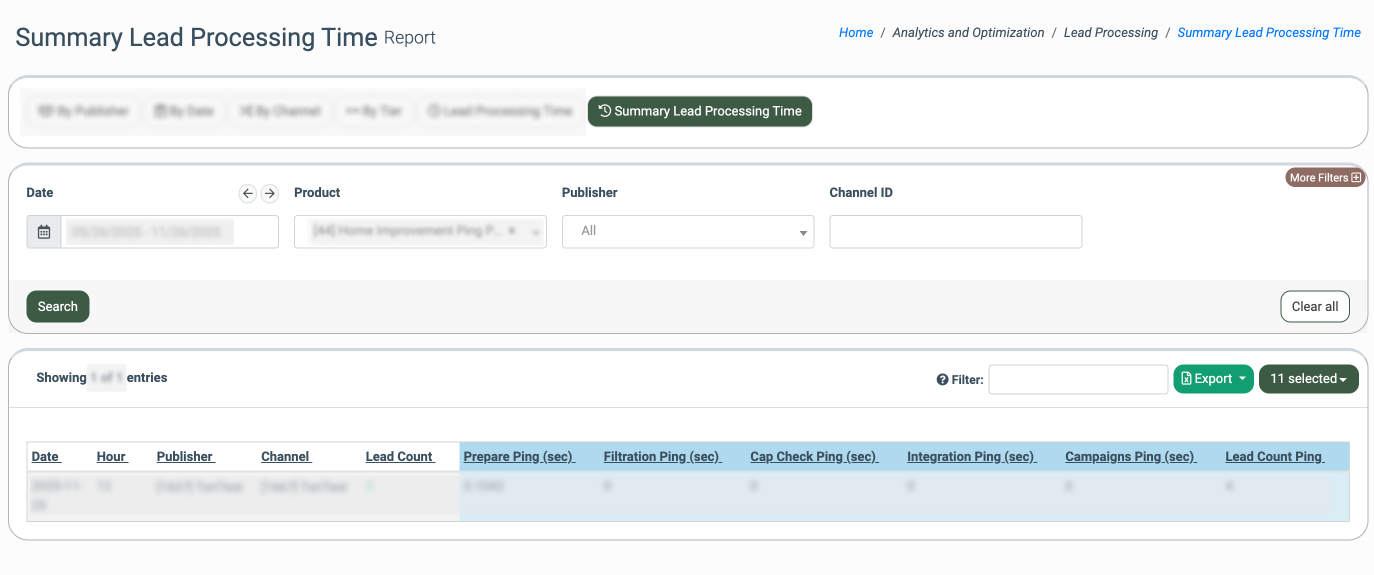
You can narrow down the search results by using the following filters:
- Date: Select the date range for the report.
- Product: Select the Product.
- Publisher: Select the Publisher.
- Channel ID: Enter the unique identification number of the corresponding Publisher Channel.
The report contains information that is grouped and displayed separately for the regular Products and the ping-post Products.
The report contains the following common information:
- Date: The particular date.
- Hour: The particular hour of the day.
- Publisher: The name of the Publisher.
- Publisher Tags: The name of the assigned Publisher Tags.
- Channel: The name of the related Publisher Channel.
The report for the regular product contains the following information:
- Prepare (sec): The average time the system spends on the initial lead data preparation stage before filtration. The preparation includes the data standardization according to the system's needs, so the data will be gathered and transformed into the “lead” format.
- Filtration (sec): The average time the system spends on applying Product rules and filters to the lead. This includes the filtration rules applied on the Campaigns level.
- Cap Check (sec): The average time the system spends on verifying and matching the caps limitations set on the Product and Campaign levels before further processing and posting to Buyers.
- Integration (sec): The average time the system spends on processing the lead through the integration, including the interaction with Buyer systems.
- Campaigns (sec): The average time the system spends on processing the lead within the Campaign routing logic, including processing through the Buyer’s integration (the value in the “Integration (sec)” column), along with the iClear rules application on the Campaign level.
- Lead Count: The number of leads that are processed within the selected date range.
The report for the ping-post product contains the following information:
- Prepare Ping (sec): The average time the system spends on preparing the lead for the ping-stage processing, before the ping-stage filtration begins.
- Filtration Ping (sec): The average time the system spends on applying Product rules and filters to the ping. This includes the filtration rules applied on the Campaigns level.
- Cap Check Ping (sec): The average time the system spends on checking the cap limitations on the product level before posting the lead for further bids generation from the Buyers’ side.
- Integration Ping (sec): The average time the system spends on processing the ping through the integration, including the interaction with Buyer systems.
- Campaign Ping (sec): The average time the system spends on processing the ping within the Campaign routing logic, including processing through the Buyer’s integration ( the value in the “Integration (sec)” column), along with the iClear rules application on the Campaign level.
- Lead Count Ping: The number of lead pings that are processed within the selected date range.