
The call is considered abandoned when it is initiated by the Auto Dialer, but is disconnected or terminated by the Auto Dialer when there are no available operators to handle the call within two seconds (the value in the “Maximum Time In Queue” field in the Campaign Level) of the completed greeting of the person who answers.
The Abandoned Calls Summary Report provides a high-level view of abandoned call activity across campaigns, call groups, IVRs, and time periods. It is designed to help contact center administrators monitor dialing performance, improve customer experience, and demonstrate compliance with regulatory requirements.
Regulatory Overview
Regulatory authorities such as the FCC and FTC (US) and Ofcom (UK) require organizations using predictive dialers to:
- Keep abandoned calls below 3% of answered calls over a rolling 30-day period
- Play a prerecorded identification message when a call is abandoned
- Maintain call records for compliance and audit purposes
The Abandoned Calls Summary Report provides the data needed to demonstrate compliance with these requirements.
Benefits of Using This Report
- Regulatory compliance monitoring: Track abandoned call rates to ensure they remain within permitted thresholds.
- Dialer performance optimization: Identify over-dialing or agent availability issues.
- Customer experience improvement: Reduce caller frustration caused by excessive abandoned calls.
- Audit readiness: Maintain historical records required for compliance reviews and audits.
To view the report, go to the All Reports > Abandoned Calls Summary section.
You can group the data in the report by Call Campaign, Date, and Call Group.
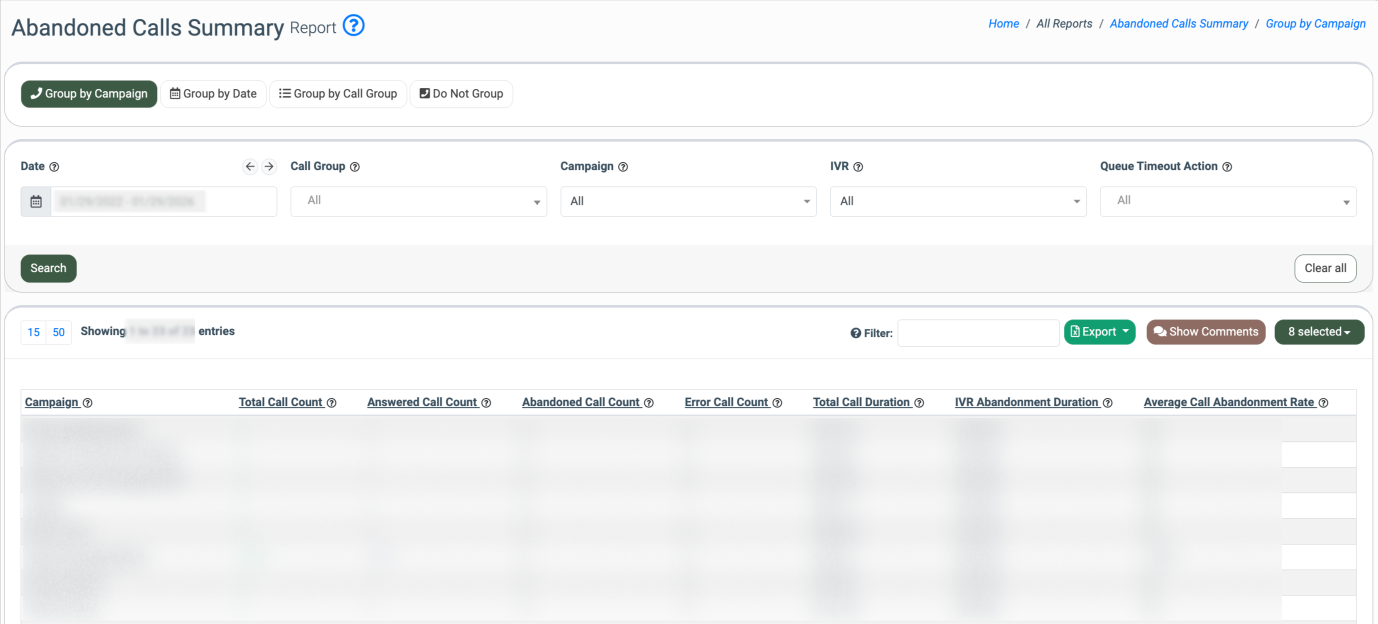
You can narrow down the search results by using the following filters:
-
Date: Select the date range for the report.
-
Call Group: Select the corresponding Call Group.
-
Campaign: Select the related Call Campaign.
-
IVR: Select the corresponding IVR.
- Queue Timeout Action: Select the action that is performed when the callee remains in the queue on hold by the autodialer when there are no available operators to handle the call (Drop Call, Play Sound, Go To IVR). The action matches the “Steps Taken On Queue Timeout” setting applied to the Call Campaign. Read more about the Call Campaign settings in the following Knowledge Base article.
The report contains the following information:
- Call Group: The name of the corresponding Call Group (available in all tabs, except the “Group by Date” tab).
- Campaign: The name of the related Call Campaign (available in the “Group by Campaign” and “Do Not Group” tabs).
- Date: The particular date from the selected date range (available in the “Group by Date” and “Do Not Group” tabs).
- Total Call Count: The total number of processed calls.
- Answered Call Count: The total number of answered calls.
- Abandoned Call Count: The total number of abandoned calls.
- Error Call Count: The total number of calls that were processed with errors.
- Total Call Duration: The total duration of processed calls.
- IVR Abandonment Duration: The total duration of the calls processing through the IVR after the “Go To IVR” action application in the “Steps Taken On Queue Timeout” setting.
- Average Call Abandonment Rate: The percentage ratio of the number of abandoned calls (the value in the “Abandoned Calls Count” field) to the sum of the total number of abandoned calls (the value in the “Abandoned Calls Count” field) and the total number of answered calls (the value in the “Answered Calls Count” field).