---
title: Smart Tree Bucket Bank
description: This option allows you to cover the missing amount of the Publisher`s payout from the Smart Tree Bucket Bank. The Smart Tree Bucket Bank is available for the Ping-post Products with the Smart Tree option enabled.
---
[Skip to content](https://support.phonexa.com/smart-tree-bucket-bank#main-content)
[](https://support.phonexa.com/?hsLang=en)
Open main navigation
Close main navigation
- [➜\]](https://phonexa.com/)
[➜\]](https://phonexa.com/?hsLang=en)
Phonexa Support Center
- There are no suggestions because the search field is empty.
1. [Knowledge Base](https://support.phonexa.com/?hsLang=en)
2. [LMS Sync & Call Logic](https://support.phonexa.com/lms-sync-call-logic?hsLang=en)
3. [Publisher management](https://support.phonexa.com/lms-sync-call-logic?hsLang=en#publisher-management)
# Smart Tree Bucket Bank
## This option allows you to cover the missing amount of the Publisher\`s payout from the Smart Tree Bucket Bank. The Smart Tree Bucket Bank is available for the Ping-post Products with the Smart Tree option enabled.
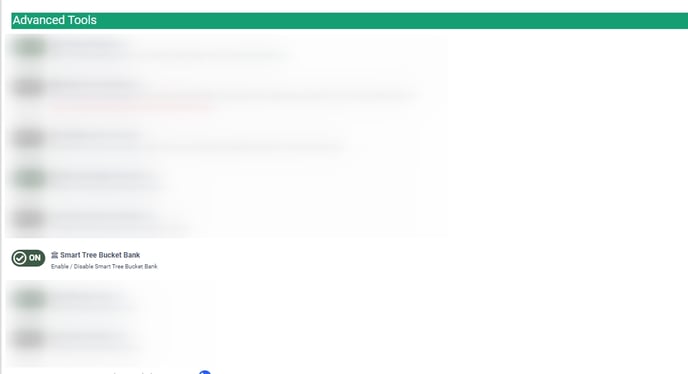
To enable the Smart Tree Bucket Bank feature, go to the **System Management \> Project Settings** section, **“LMS & Call Logic”** tab, and **“Additional Components”** subtab. Scroll down to the **“Advanced Tools”** block and switch the toggle **“Smart Tree Bucket Bank”** to the **“On”** position to enable. On the bottom of the page click the **“Save”** button to proceed.
*Read more about configuring the Smart Tree Bucket Bank settings in this Knowledge Base* [*article*](https://support.phonexa.com/publisher-management-rev-share-tab?hsLang=en)*.*
[**](https://support.phonexa.com/hubfs/Project%20Settings%20%20Inst%20-%20Google%20Chrome.jpg?hsLang=en)This option allows you to accumulate a particular amount of money from sales and pay it to the Publisher if the sold price cannot cover the payout promised to him. You can accumulate money in the Smart Tree Bucket Bank if the sold price cannot cover the payout promised to the Publisher and when the Post price of the Campaign is higher than the Ping price. *Note: When the amount in the bank reaches the value set in the **“Max Bank**” field, the accumulation of the money stops.*
1. Accumulation in the Smart Tree Bucket Bank if the Publisher gets the **“Reject”** status for the lead (when the Ping price is lower than the Post price).
*Example: The Publisher\`s rev-share percent is set at 70%*
*The Campaign\`s Ping price is set at 10$, and the Post price is set at 5$.*
*The Publisher\`s expected payout is 70% of the Ping price (10\*70%=7$).*
*The Publisher gets the **“Reject”** status of the lead (the Post price = 5$ and it cannot cover the expected payout). The lead is accepted to the Campaign.*
*The Admin\`s revenue is 5$ (the Post price).*
*The Publisher\`s rev-share from the Post price is accumulated in the Bank (5\*70%=3.5$).*
2. Accumulation in the Smart Tree Bucket bank if the Post price is higher than the Ping price.
*Example: The Publisher\`s rev-share percent is set at 70%*
*The Campaign\`s Ping price is set at 5$, and the Post price is set at 10$.*
*The Publisher\`s expected payout is 70% of the Ping price (5\*70%=3.5$).*
*The Publisher gets the **“Sold”** status of the lead and his payout is calculated as a rev-share percent of the Ping price (5\*70%=3.5$).The lead is accepted to the Campaign.*
*The Admin\`s revenue is calculated as a percent of the Ping price + price difference between Post and Ping prices (5\*30%+(10-5)= 6.5$).*
*The Publisher\`s rev-share percent of the price difference is accumulated in the Bank ((10-5)\*70%=3.5$).*
3. The Payout from the Smart Tree Bucket Bank if the Ping price is lower than the Post price.
*Example: The Publisher\`s rev-share percent is set at 70%*
*The Campaign\`s Ping price is set at 10$, and the Post price is set at 5$.*
*The Publisher\`s expected payout is 70% of the Ping price (10\*70%=7$).*
*The Publisher gets the **“Sold”** status of the lead and his expected payout is calculated as a rev-share percent of the Ping price (10\*70%=7$).The lead is accepted to the Campaign.*
*The Post price (5$) is lower than the Publisher\`s expected payout (7$), so we pay the Publisher all the amount from the Post price and cover the missing amount from the Bank (2$).*
*The Admin\`s revenue is calculated as revenue from the Post price (Admin gets nothing from the Post price, as all amount goes to the Publisher) - the amount paid from the Bank (0-2=-2$).*
*We charge the Smart Tree Bucket bank with the missing amount to cover the Publisher\`s expected payout (Current amount in the Bank -2$).*
- [General information](https://support.phonexa.com/general-information?hsLang=en#main-content)
- [Account Settings](https://support.phonexa.com/general-information?hsLang=en#account-settings)
- [Security Settings](https://support.phonexa.com/general-information?hsLang=en#security-settings)
- [Users](https://support.phonexa.com/general-information?hsLang=en#users)
- [System Customization](https://support.phonexa.com/general-information?hsLang=en#system-customization)
- [Project Customization](https://support.phonexa.com/general-information?hsLang=en#project-customization)
- [Product Customization](https://support.phonexa.com/general-information?hsLang=en#product-customization)
- [System Management](https://support.phonexa.com/general-information?hsLang=en#system-management)
- [Support](https://support.phonexa.com/general-information?hsLang=en#support)
- [LMS Sync & Call Logic](https://support.phonexa.com/lms-sync-call-logic?hsLang=en#main-content)
- [Extra Features](https://support.phonexa.com/lms-sync-call-logic?hsLang=en#extra-features)
- [Publisher Configuration](https://support.phonexa.com/lms-sync-call-logic?hsLang=en#publisher-configuration)
- [Client Management](https://support.phonexa.com/lms-sync-call-logic?hsLang=en#client-management)
- [System Logs](https://support.phonexa.com/lms-sync-call-logic?hsLang=en#system-logs)
- [Documents And References](https://support.phonexa.com/lms-sync-call-logic?hsLang=en#documents-and-references)
- [Reports and Analytics](https://support.phonexa.com/lms-sync-call-logic?hsLang=en#reports-and-analytics)
- [Publisher management](https://support.phonexa.com/lms-sync-call-logic?hsLang=en#publisher-management)
- [Call Logic Customization](https://support.phonexa.com/lms-sync-call-logic?hsLang=en#call-logic-customization)
- [Campaign Configuration](https://support.phonexa.com/lms-sync-call-logic?hsLang=en#campaign-configuration)
- [Feed CMS](https://support.phonexa.com/lms-sync-call-logic?hsLang=en#feed-cms)
- [Event Tracking](https://support.phonexa.com/lms-sync-call-logic?hsLang=en#event-tracking)
- [iClear](https://support.phonexa.com/lms-sync-call-logic?hsLang=en#iclear)
- [E-Delivery](https://support.phonexa.com/e-delivery?hsLang=en#main-content)
- [List Management](https://support.phonexa.com/e-delivery?hsLang=en#list-management)
- [Email Campaigns](https://support.phonexa.com/e-delivery?hsLang=en#email-campaigns)
- [SMS Campaigns](https://support.phonexa.com/e-delivery?hsLang=en#sms-campaigns)
- [Reports](https://support.phonexa.com/e-delivery?hsLang=en#reports)
- [Suppression Management](https://support.phonexa.com/e-delivery?hsLang=en#suppression-management)
- [Books360](https://support.phonexa.com/books360?hsLang=en#main-content)
- [Books 360 Integration](https://support.phonexa.com/books360?hsLang=en#books-360-integration)
- [Vendor Management](https://support.phonexa.com/books360?hsLang=en#vendor-management)
- [Account](https://support.phonexa.com/books360?hsLang=en#account)
- [Customer Management](https://support.phonexa.com/books360?hsLang=en#customer-management)
- [Opt-Intel](https://support.phonexa.com/opt-intel?hsLang=en#main-content)
- [List Management](https://support.phonexa.com/opt-intel?hsLang=en#list-management)
- [All Reports](https://support.phonexa.com/opt-intel?hsLang=en#all-reports)
- [Mailers](https://support.phonexa.com/opt-intel?hsLang=en#mailers)
- [Campaigns](https://support.phonexa.com/opt-intel?hsLang=en#campaigns)
- [System Management](https://support.phonexa.com/opt-intel?hsLang=en#system-management)
- [HitMetrix](https://support.phonexa.com/hitmetrix?hsLang=en#main-content)
- [Analytics](https://support.phonexa.com/hitmetrix?hsLang=en#analytics)
- [Heatmaps](https://support.phonexa.com/hitmetrix?hsLang=en#heatmaps)
- [System Management](https://support.phonexa.com/hitmetrix?hsLang=en#system-management)
- [Lynx](https://support.phonexa.com/lynx?hsLang=en#main-content)
- [Offers](https://support.phonexa.com/lynx?hsLang=en#offers)
- [LYNX Reports](https://support.phonexa.com/lynx?hsLang=en#lynx-reports)
- [Advertisers](https://support.phonexa.com/lynx?hsLang=en#advertisers)
- [Affiliates](https://support.phonexa.com/lynx?hsLang=en#affiliates)
- [Account Settings](https://support.phonexa.com/lynx?hsLang=en#account-settings)
- [Cloud PBX](https://support.phonexa.com/cloud-pbx?hsLang=en)
[](https://phonexa.com/?hsLang=en)
Phonexa Knowledge Base
Copyright © 2026, Phonexa